Skip to content

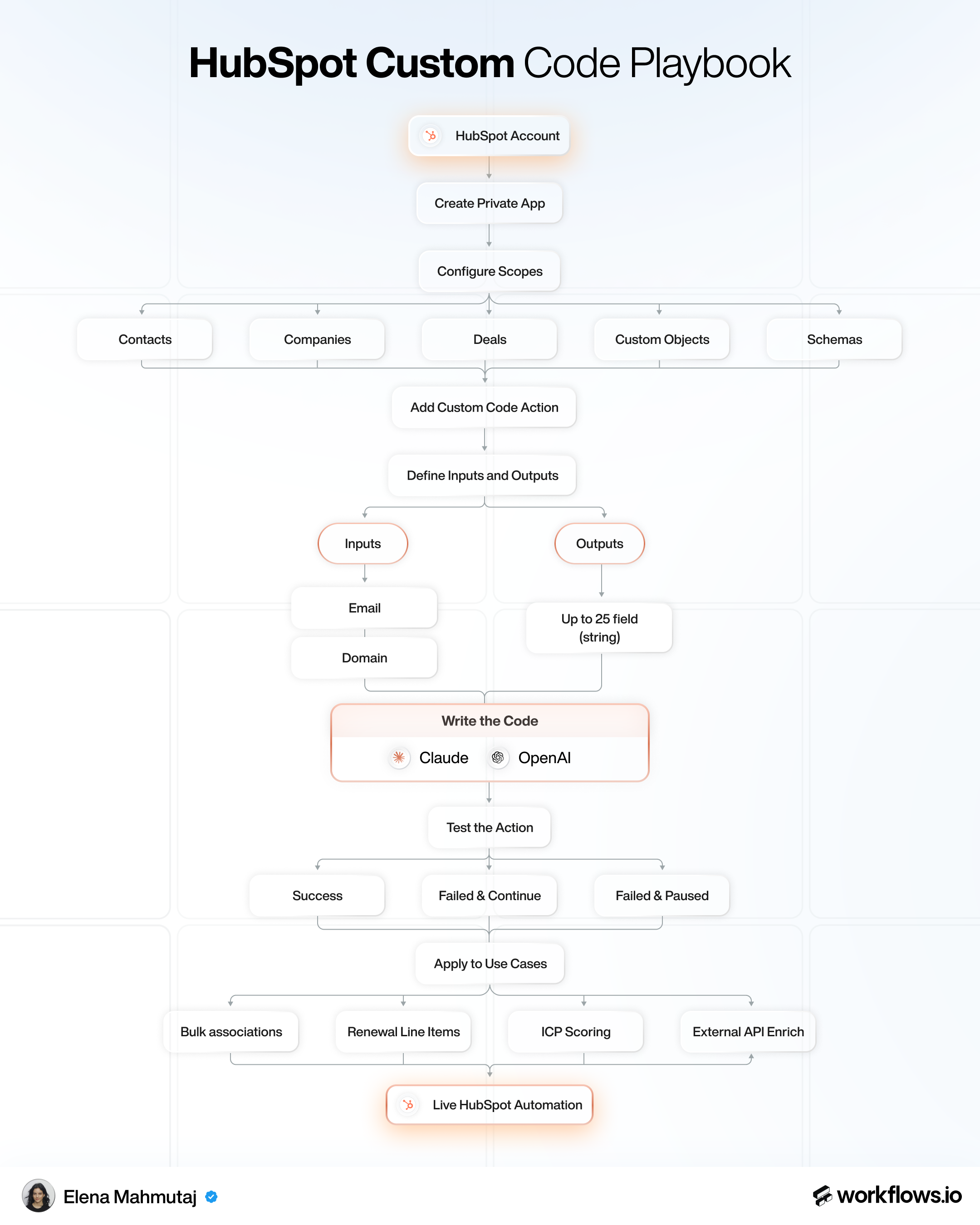
HubSpot Custom Code Workflow

Tools used

Download playbook

By clicking download you subscribe to our marketing communications.

Elena Mahmutaj
Elena Mahmutaj

How it works

Step 1: Create a private app

Set up the API access layer that powers all custom code actions.

  • Go to HubSpot → Settings → Integrations → Legacy Apps.

  • Click Create a legacy app and name it clearly

  • Copy the access token shown once on creation and store it securely.

Share

HubSpot Custom Code Workflow
Scroll to zoom in and out, drag to navigateUse 2 fingers to drag, zoom in and out
Book yourstrategy call

By subscribing, you agree to our Privacy Policy and receive updates.

Navigate

HomeHomeHomeWorkflowsWorkflowsWorkflowsToolverseToolverseToolverseCustomersCustomersCustomers

Resources

BlogBlogBlogCareersCareersCareersFree ToolsFree ToolsFree ToolsGTM GlossaryGTM GlossaryGTM GlossaryLinkedIn post previewerLinkedIn post previewerLinkedIn post previewerWorkflows APIWorkflows APIWorkflows API

Subscription Services

LinkedIn ContentLinkedIn ContentLinkedIn ContentAutomated OutboundAutomated OutboundAutomated OutboundRevOpsRevOpsRevOps

Sprint Projects

ABM ProgramABM ProgramABM ProgramRevOpsRevOpsRevOpsEnterpriseEnterpriseEnterprise
Check out our GTM workflows

Explore AI Summary

ApolloclayheyreachinstantlyoutboundSyncn8nnookssalesforcehubspot
Workflows.io © 2026Privacy PolicyTerms of Use