LinkedIn Notion Dashboard - Template
Tools used
Download playbook
By clicking download you subscribe to our marketing communications.

How it works
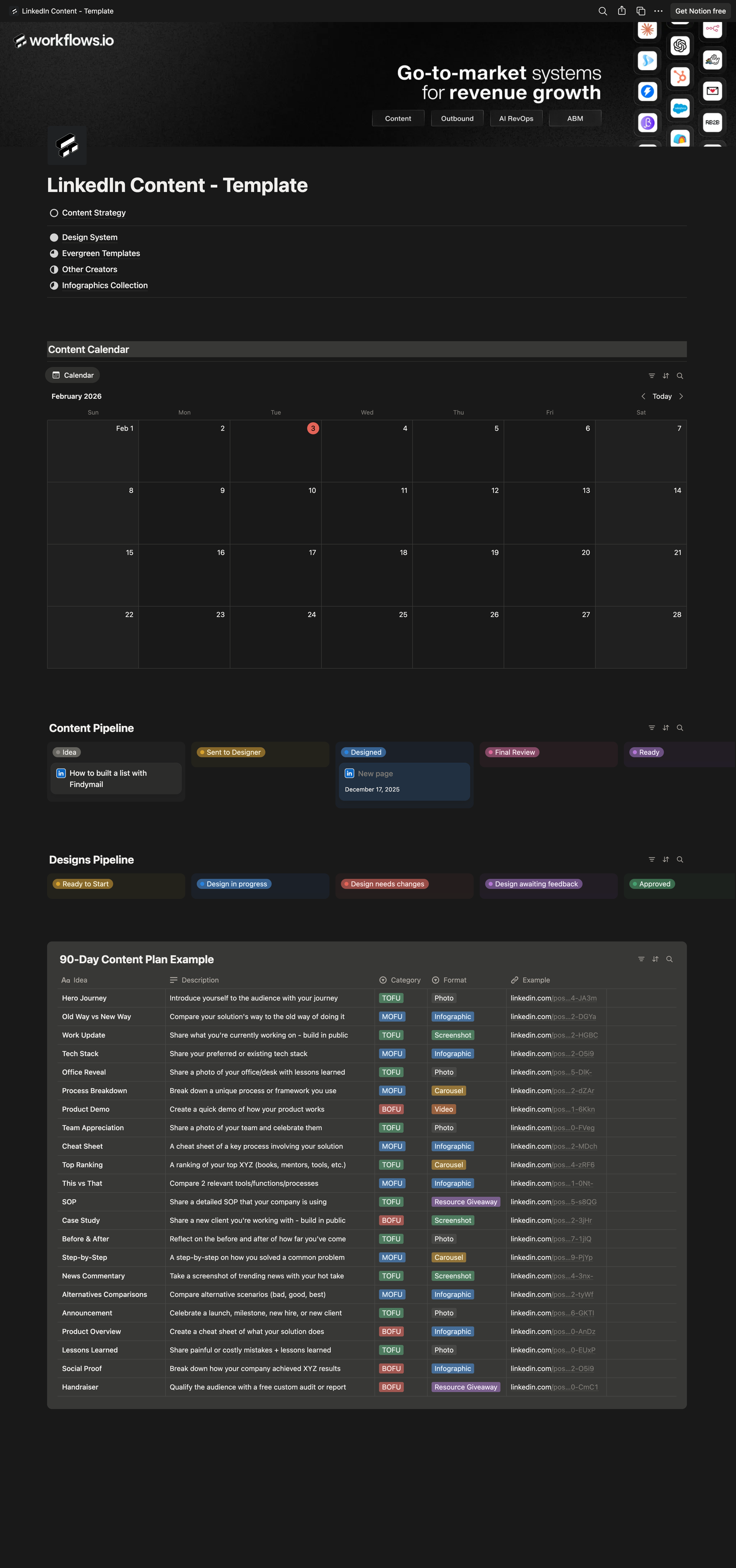
Step 1: Understand the LinkedIn Notion Dashboard
Step 2: Duplicate the Notion template
Step 3: Review the dashboard structure
Step 4: Set the content foundation
Step 5: Optimize your LinkedIn profile
Step 6: Set up Brandbook and design assets
Step 7: Centralize external links
Step 8: Manage content using the kanban view
Step 9: Create and manage post ideas
Step 10: Use the 90-day content plan for ideation
Share
Scroll to zoom in and out, drag to navigateUse 2 fingers to drag, zoom in and out